


Emby for Android
3.6874.00 Reviews
App Specs
- Version
- 3.5.36
- Updated On
- License
- Free
- Downloads
- 1,000,000+
- Developer
- Emby Media
- Categories
- Video Players & Editors
- Platform
- Android
Screenshots
 Analysis by AppCompare
I find the biggest question with Emby for Android is not whether it can play video, but whether you want your own media collection to have a home you manage. It is a video player and media-organizing app from Emby Media, and that makes it a different kind of choice from a streaming service: the experience depends on having an Emby server and content you can access through it. If you already keep films, shows, music, or photos in a personal library, that setup can be worthwhile. If you simply want to open an app and browse a ready-made catalogue, it may feel like more work than you need.
Decide whether a personal library suits you
I would start by asking where your media lives and how you want to watch it. Emby is most appealing when you value having your own collection organized in one place and want to reach it from an Android device. It is less compelling if your viewing habits are built entirely around services that provide their own catalogues and require no home library to maintain. That distinction matters more than the player interface: Emby is part of a personal media setup, not a replacement catalogue that fills itself.
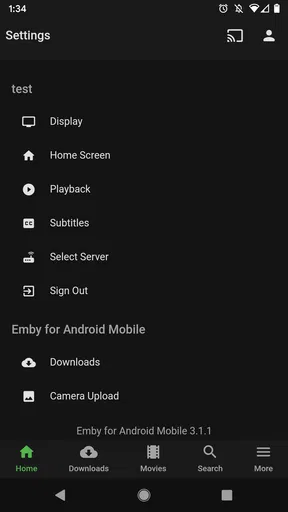
The setup also has a practical trade-off. Installing the app is only one part of getting started; you need to connect it to an Emby server. For someone already running one, that is a familiar step. For a newcomer, it is an extra concept to learn before the app becomes useful. I would decide whether I am comfortable maintaining that arrangement before moving a large collection over, rather than treating the download as the whole setup.
What makes Emby useful day to day
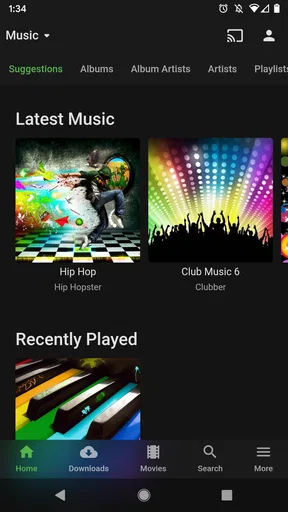
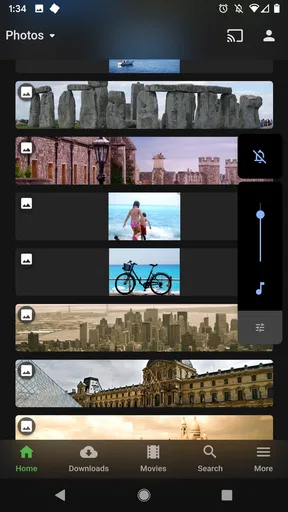
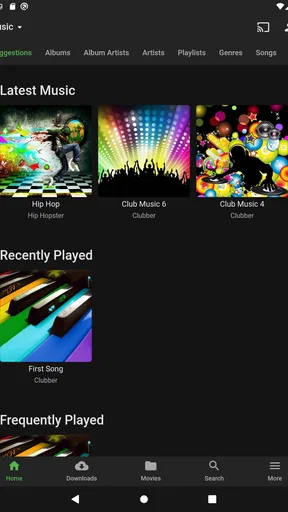
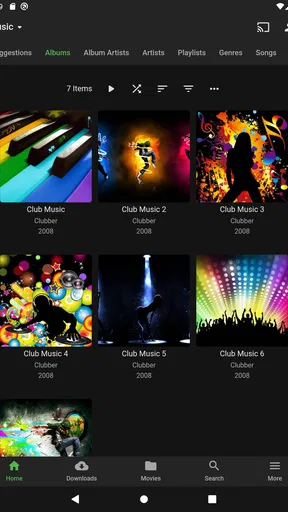
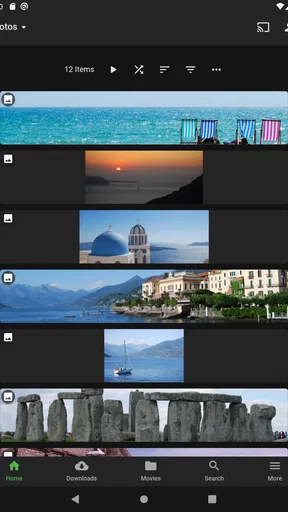
The main advantage is continuity. A library kept on your server can be reached through the Android app instead of being tied to one device, and the app’s personalized home screen can make a regular collection easier to revisit. This is handy when you have a mix of films, shows, music, and photos and prefer browsing familiar material rather than searching across separate apps. The value grows with an organized library; a small collection scattered across devices may not justify the extra setup.
A useful habit is to treat the home screen as a starting point, not a substitute for organizing the library. I would put frequently watched material where it is easy to reach, then use the separate media sections when I want to browse more widely. That simple division makes the app feel less like a pile of files and more like a library, while avoiding the expectation that it will guess every preference perfectly.
Streaming, formats, and offline plans
Emby’s transcoding can help when a file’s format does not suit the device playing it: the server can convert media for playback. That is a real convenience for a mixed collection, but it also makes the server part of the viewing experience. If playback struggles, I would check the connection and server workload as well as the phone; the app cannot make a remote source or an overloaded server behave like local storage.
Offline syncing is useful when you know you will lose a reliable connection, such as on a flight or a long drive. I would plan downloads before leaving, and test one item first rather than assuming every file will be available in exactly the form I expect. Streaming and offline use solve different problems: streaming avoids filling the device, while synced content offers more predictable access away from a network. Choosing between them depends on storage space, connection quality, and how much preparation you are willing to do.
Worth Reading Before You Choose

EA SPORTS FC Mobile 26 Is a Bigger Football Game, but It Takes Time

Flipboard Shows What News Apps Must Do Beyond the Feed

Switching to Android Auto Means Rethinking Your Driving Routine

Google Calendar Makes a Crowded Week Easier to Manage

Ludo King Makes the Most of the Minutes Between Plans

Baby Panda World Brings Quick Play to Modern Phones, but Its Game Library Feels Busy
Live TV, DVR, and parental controls may matter to households that already use those parts of an Emby setup. They are not reasons on their own to install the Android app if you do not have the relevant service and library arranged. I see them as features that can make an existing home-media system more useful, rather than functions every user will need. That distinction helps keep expectations realistic.
How it compares with other ways to watch
Compared with a conventional streaming app, Emby asks you to bring the library and server rather than simply choose something from a supplied catalogue. The reward is more control over your own media; the cost is setup and ongoing organization. Compared with a basic local video player, it is aimed at a broader, connected collection, so it makes more sense when you want access across devices than when you only need to open a file stored on your phone.
For occasional viewing of downloaded videos, a straightforward player may be the easier choice. For someone who already uses a personal media server and wants a companion app, Emby is the more natural fit. I would not switch a working setup just because one app has a longer feature list. First try connecting a small part of your library, check that the navigation suits you, and see whether remote streaming and offline preparation fit your routine.
Cost, commitment, and who should skip it
The app is free to install, with in-app purchases ranging from $0.99 to $6.49 per item. I would check which functions I actually need before paying for anything; the free download is a sensible way to see whether the server-based approach suits me. Emby has a 3.6 average from around 8,000 ratings, with roughly 857 written reviews, and more than a million installs. Those figures suggest it has a substantial audience, but they do not tell me whether it will fit a particular home network or collection.
One everyday example: I might start a show at home, then want to continue while waiting somewhere with a dependable connection. A server-backed library gives that routine a clear purpose, while offline syncing is the safer option if I expect patchy access. I would also think about who else uses the library before changing its organization. A little planning around shared access and categories can prevent a personal collection from becoming harder for everyone to browse.
People who want a no-setup player, rely exclusively on subscription catalogues, or do not want to manage a server should probably skip Emby and use a simpler alternative. It is also worth remembering that “works on my phone” and “works well from anywhere” are not identical: remote access depends on the wider setup, and conversion or syncing can add steps. Those are reasonable costs for flexibility, but they should be part of the decision from the beginning.
For anyone moving from another media system, I would avoid migrating everything at once. Start with a small, representative selection: a few films, a show with multiple episodes, and any formats that have caused trouble before. Check how they appear in the library, try playback on the Android device, and test the offline workflow if that matters to you. This reveals practical snags early, without turning a change of app into a weekend-long project.
It is also worth deciding how much of your collection you actually want available on a phone. A large library can be convenient to browse, but it does not mean every item should be synced locally. I would reserve downloads for trips or unreliable connections and stream at home when the network is dependable. That keeps the offline feature useful without making phone storage management part of every viewing session.
My recommendation
Emby for Android is a good fit when the thing you want to improve is access to a personal media library, especially if you already have an Emby server and value organization, remote playback, and the option to prepare content for offline use. The current version is 3.5.28 and it supports Android 5.0 or later; its content rating is Everyone. I would recommend trying it with a modest part of your collection before committing to a bigger switch.
My overall view is positive, with one clear condition: the app makes the most sense when you want to manage your own media, not when you want the least-effort route to whatever is popular today. Its combination of library browsing, streaming, and optional offline preparation can suit a household with varied media habits, while simpler players are better for one-off local files. If that trade-off sounds right to you, Emby for Android is worth exploring; if not, choosing the simpler tool is no compromise at all.
Setting Up: A Walk in the Park
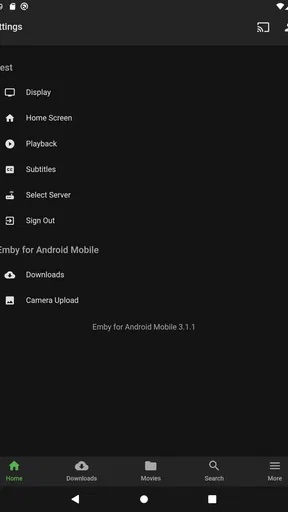
First things first, let's talk setup. The installation of Emby for Android is super straightforward. After downloading it from the Play Store, I was up and running in no time. The app guides you through connecting to your Emby server, which, if you’re a newbie like me, might sound daunting. But fear not! The step-by-step instructions make it almost foolproof.
Interface: Clean and User-Friendly
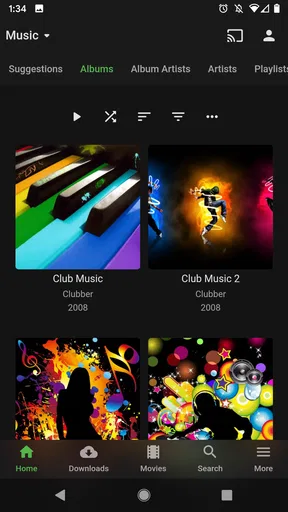
Now, onto the interface. It's slick and intuitive. Navigating through different sections is a breeze. You’ve got your typical tabs for movies, music, and TV shows, but what really caught my eye was the personalization. Emby lets you customize the homepage to show your favorites, which is a nice touch. It feels like the app knows what you’re gonna watch before you do!
Features: More Than Just a Media Player
Emby isn’t just about organizing your media; it’s about enhancing it. One of the standout features is the live TV and DVR capabilities. I mean, who doesn’t want to pause, rewind, or record live TV on the go? The DVR feature is like having your personal TV station. Plus, the parental controls are top-notch, giving you peace of mind if you’ve got young ones around.
And let’s not overlook the transcoding. Emby automatically converts media to ensure it plays smoothly on any device, which is a lifesaver when your library is a mixed bag of formats.
Performance: Smooth Sailing
Performance-wise, Emby is solid. Streaming is smooth, even when accessing content from my server while out and about. There’s minimal buffering, and the quality is impressive. It's almost like having your personal Netflix, but with your library. Syncing content for offline viewing is another feather in Emby’s cap, making it perfect for those long flights or road trips.
Compatibility: All About Integration
The app supports a wide range of devices, which is crucial if you, like me, have a mixed bag of tech. Whether it’s Android TV, Chromecast, or even the odd Raspberry Pi setup, Emby has you covered. The integration with other smart home devices also adds an extra layer of convenience.
Security: Keeping Your Data Safe
With all this media floating around, security is key. Emby uses secure connections to ensure your data is protected. The privacy settings are robust, allowing you to control who sees what in your library. It’s clear they’ve put thought into making sure your media stays yours.
All in all, Emby for Android is a powerhouse of a media player that does more than just stream your favorite shows and music. It’s a versatile tool that brings all your media together under one roof, making it easily accessible, no matter where you are. If you’re looking for a way to simplify and supercharge your media experience, Emby is definitely worth a spin.
Pros
- User-friendly interface
- easy to navigate.
- Supports multiple media formats seamlessly.
- Parental controls with customizable filters.
- Remote streaming available for on-the-go access.
- Compatible with numerous devices and platforms.
Cons
- Free version has limited features.
- Requires server setup
- which can be complex.
- Some features require paid subscription.
- Occasional buffering with remote streaming.
- Interface can feel cluttered with options.
FAQs for Emby for Android
What is Emby for Android, and how does it work?
Emby for Android is a media server application that lets you organize, manage, and stream your personal media files, such as movies, music, and photos, across various devices. By installing Emby on your Android device, you can access your media library from anywhere, provided you have an internet connection. Emby aggregates content from multiple sources and offers a user-friendly interface to enhance your streaming experience.
Is Emby for Android free to use?
Emby for Android offers a free version with basic features, allowing users to stream their personal media library. However, to unlock premium features like cloud sync, offline media access, and mobile sync, you need to subscribe to Emby Premiere. This subscription enhances the app’s capabilities, making it a more comprehensive media management solution.
What are the system requirements for running Emby on Android?
To run Emby on Android, you need a device with Android 5.0 (Lollipop) or later. The app is optimized for both phones and tablets, ensuring a smooth experience. A reliable internet connection is also essential for streaming media, especially if you’re accessing content remotely. Additionally, having a device with decent processing power will enhance the app’s performance.
How secure is my media content on Emby?
Emby places a strong emphasis on security, offering features like secure remote access and user account management to protect your media content. You can set up user permissions to control who has access to specific libraries, ensuring your media is only available to those you authorize. Additionally, SSL certificates can be configured for encrypted connections, enhancing security further.
Can Emby for Android integrate with other media services?
Yes, Emby for Android can integrate with various media services and plugins, enhancing its functionality. It supports services like Live TV, DVR, and cloud sync, allowing you to record and stream live content. The app also offers plugins that extend its capabilities, such as adding new channels and services, making it a versatile option for media management.


